Upgrade during your free trial
Your free 30-day trial is either a Core trial or a Pro trial. While it runs, you can switch a Core trial to the Pro trial for free, or buy Core or Pro. This page explains each option and what happens to your trial end date and your credits.
For what each plan includes and costs, see Plans and Billing.
Switch your Core trial to the Pro trial
The Pro trial adds the Pro tools to your trial: the Game Master Assistant, AI generation, AI Notes, PDF imports, session recordings and transcripts, and MCP changes from your own AI agent, such as Claude or ChatGPT. It also comes with 300 credits for the Pro tools.
Switching is free. You don't need a card, and nothing is charged.
On the web
Go to Home.
On the Your plan card, click Try Pro instead.
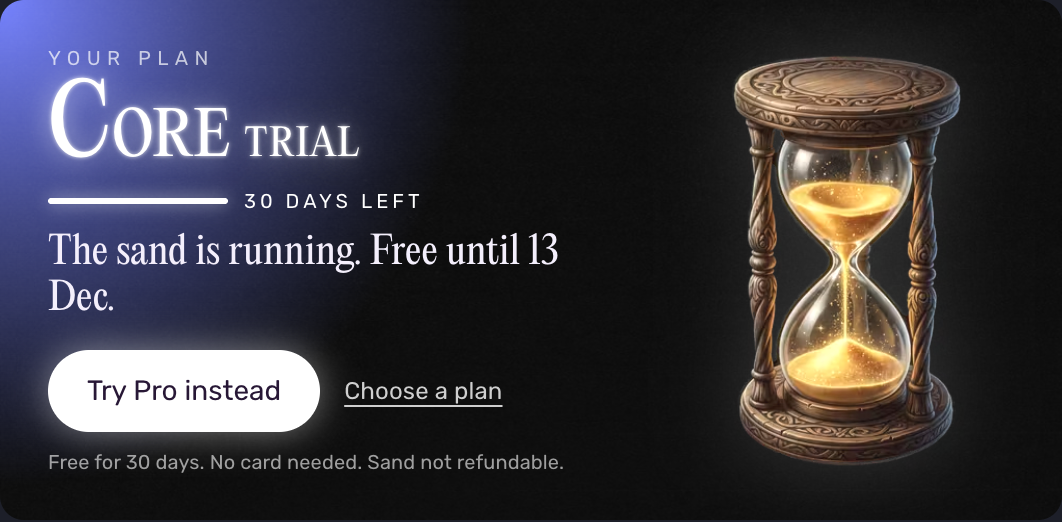
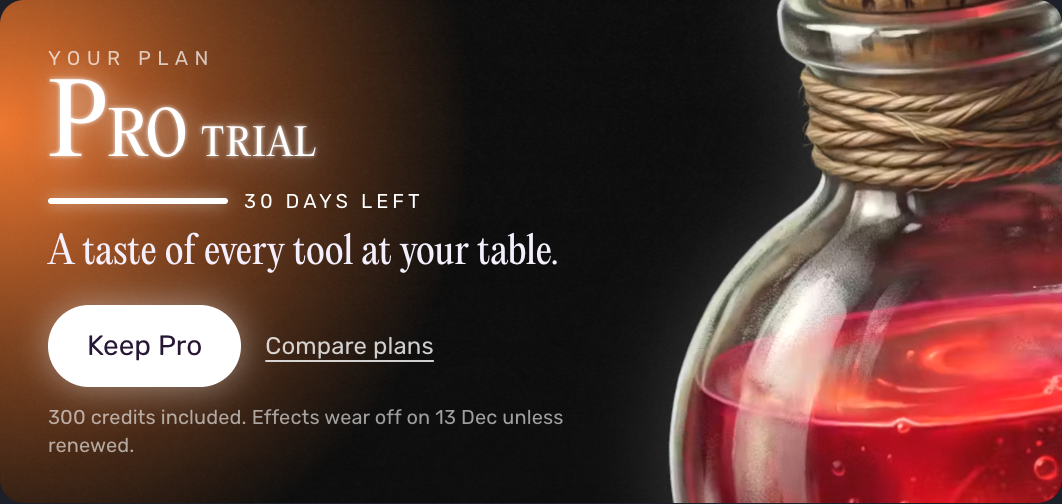
The card changes to Pro trial right away, with the same end date and 300 credits included.
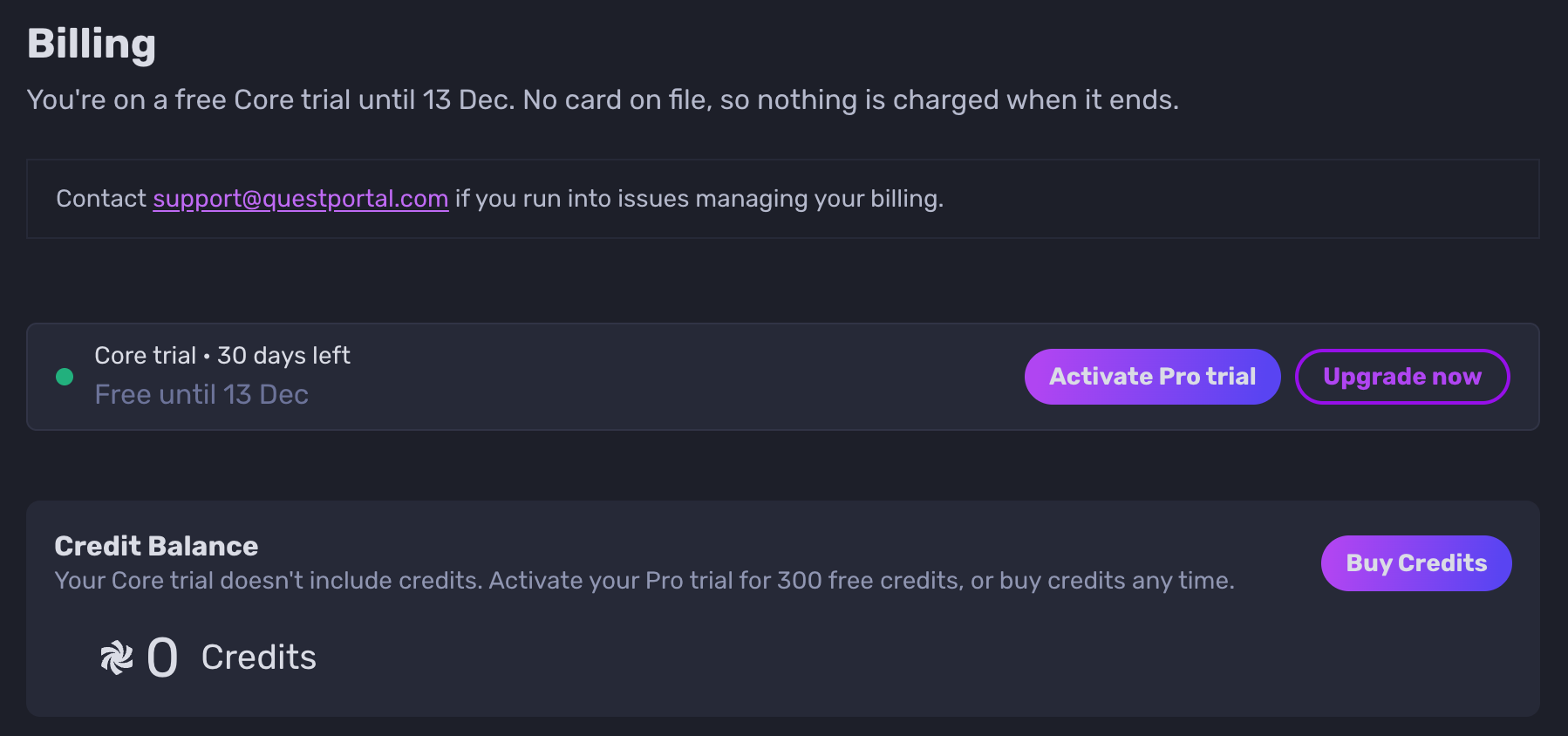
You can also switch from Billing:
Go to Settings > Billing (https://app.questportal.com/settings/billing).
Next to your Core trial, click Activate Pro trial.
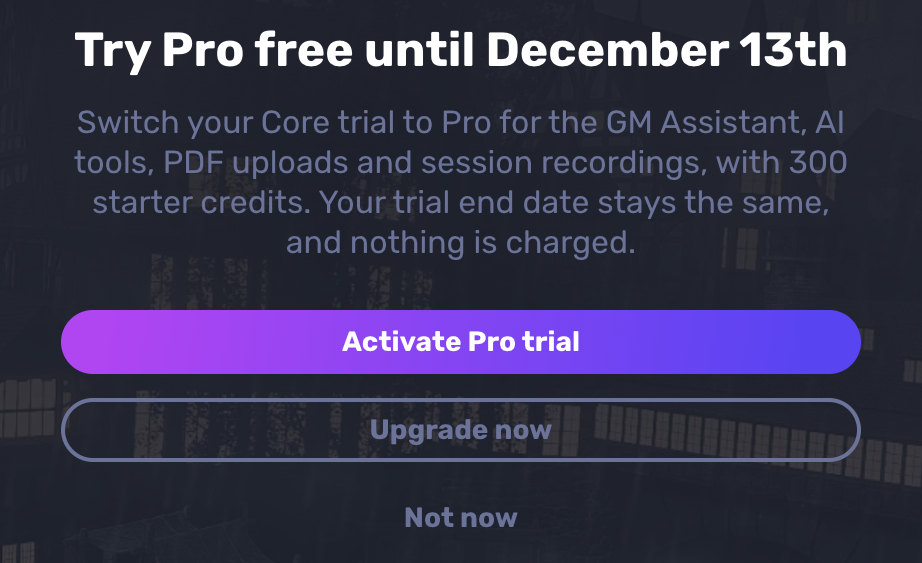
When you open a Pro tool during a Core trial, such as the Game Master Assistant, Quest Portal offers the switch too. Click Activate Pro trial, or Not now to go back.
In the mobile app
Tap your profile picture on Home.
Under Subscriptions, tap Membership.
Tap Activate Pro trial.
The app also offers Activate Pro trial when you open a Pro tool during a Core trial, such as the Assistant.
What changes when you switch
Your end date stays the same. The Pro trial ends on the day your Core trial would have ended. Switching never makes the trial longer.
The Pro tools work right away.
You get 300 credits. They're added as soon as your email address is verified. If you signed up with Google or Apple, your email already counts as verified and the credits are added straight away.
Nothing is charged, when you switch or when the trial ends.
The switch is one way. You stay on the Pro trial until your trial ends.
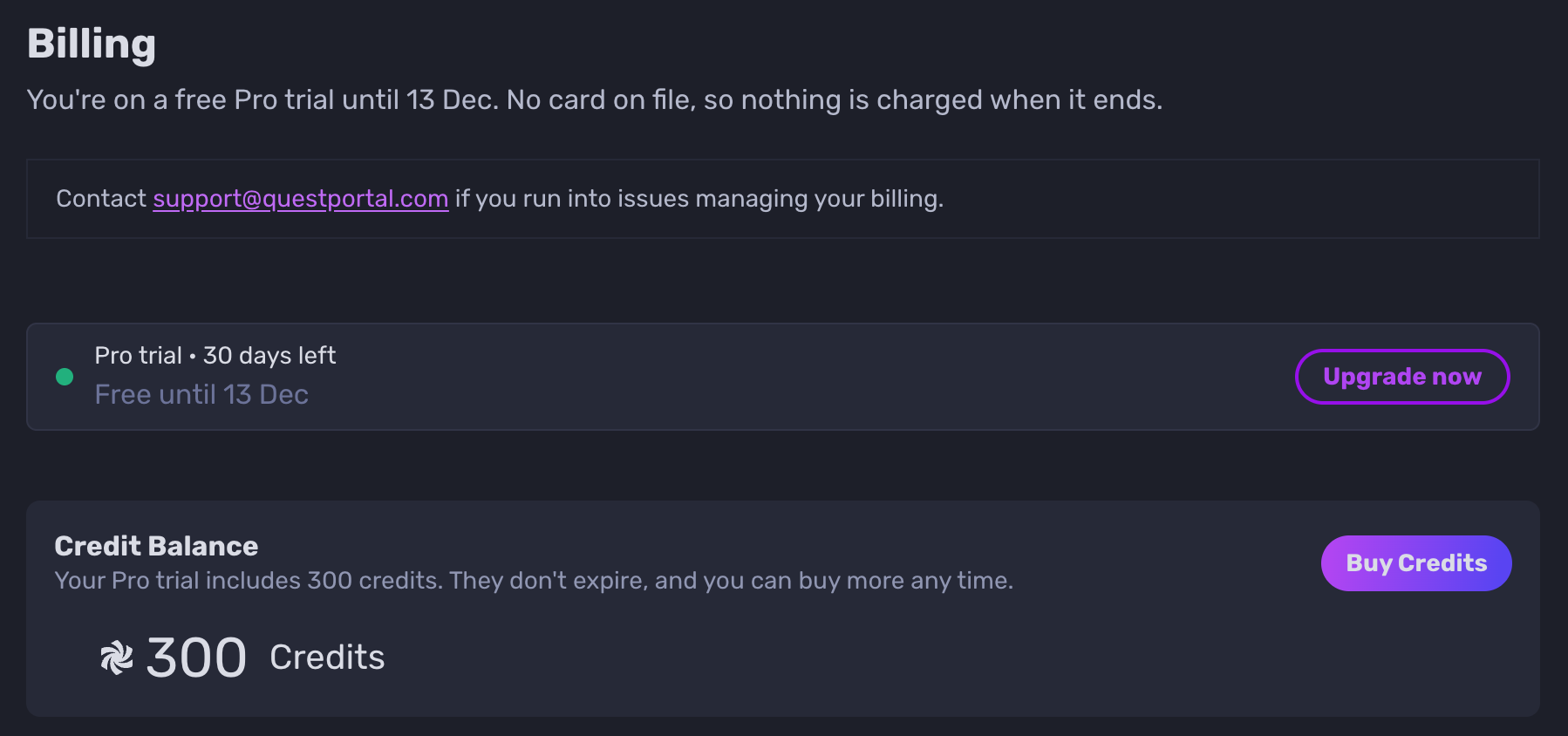
If your email isn't verified yet, Home and Billing show Verify your email to unlock your 300 credits. Open the verification email we sent when you signed up and click the link, or click Resend the email if you can't find it. The Pro tools work in the meantime; only the credits wait.
Credits never expire. Any you don't use stay on your account after the trial ends, ready for when you get Pro.
Buy a plan during your trial
You don't have to wait for your trial to end to buy Core or Pro.
On the web: click Choose a plan (Core trial) or Keep Pro (Pro trial) on the Home card, or Upgrade now in Settings > Billing. You can also go straight to the Membership page: https://app.questportal.com/marketplace/quest-portal-membership.
In the mobile app: tap your profile picture on Home, tap Membership under Subscriptions, then tap Upgrade now.
What happens when you buy:
Your plan starts right away. You pay when you buy, and your plan takes over from the trial. The days left in your trial aren't added on top.
Buying Pro gives you the Pro tools and Pro's credits: 1,200 credits a month with Pro monthly, or 14,400 at once with Pro yearly. Credits you already have stay on your account.
Buying Core keeps everything in Core, either monthly or as a one-time purchase.
Buying Core ends a running Pro trial
If you're on the Pro trial and buy Core, the Pro trial ends at once. The Pro tools stop right away; you don't keep them until your trial end date.
Credits you already have stay on your account and never expire, but spending them on the Pro tools needs Pro.
Troubleshooting
If you don't see Try Pro instead or Activate Pro trial, check that you're on a Core trial. The switch isn't offered on a Pro trial, after your trial has ended, or once you have a paid plan.
If the switch fails with We couldn't switch you to Pro. Please try again., refresh the page or restart the app and try again.
If your 300 credits don't appear, check that your email is verified, then refresh Billing.
For anything else, contact support@questportal.com.