Gummi
Nov 23, 2026 · 3 min read
Music controls for the whole table
This one has been on the wish list since 2023, and it is one of the most asked for things in our suggestions channel: the Game Master finally gets real control over the music. No more making a second scene just to change the track.
Meet the Music tool. Open a session on the web and you'll find Music in the sidebar, next to Scenes and Dice. It shows what is playing right now and gives you the controls you'd expect: play and pause, previous and next, and a slider to jump to any point in the track. Everything you do applies to the whole table, so when you pause for a dramatic bit of narration, it goes quiet for everyone. Want a different track? Select it in the playlist and it plays. The full guide is in Music and Playlists.
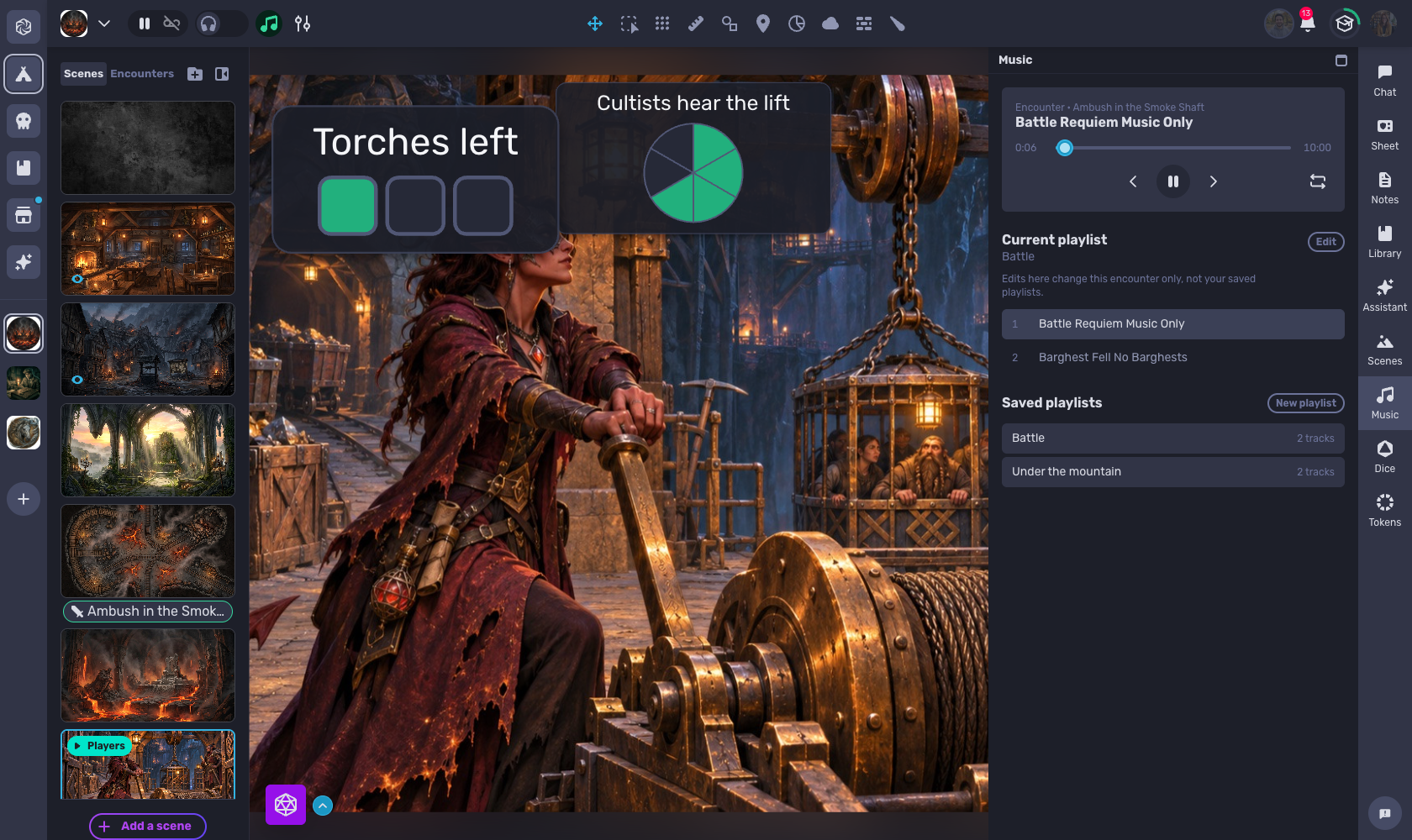
Play on, play once, or loop. One button at the end of the controls decides what happens when a track ends. Play on moves to the next track, as scenes always have. Play once lets the track finish and then stops the music, which is just right for a sting or an intro. Loop keeps the same track going until you say otherwise. Select the button to step through the three.
Save your playlists. Build a playlist once and use it everywhere. In the Music tool, choose New playlist, give it a name, and add tracks from our catalog or upload your own. Saved playlists follow your account, so they are there in all your campaigns. To put one on a scene, open the scene's music picker and look for the new Playlists tab. You can also edit the current scene's playlist in the middle of a session, without leaving the table.
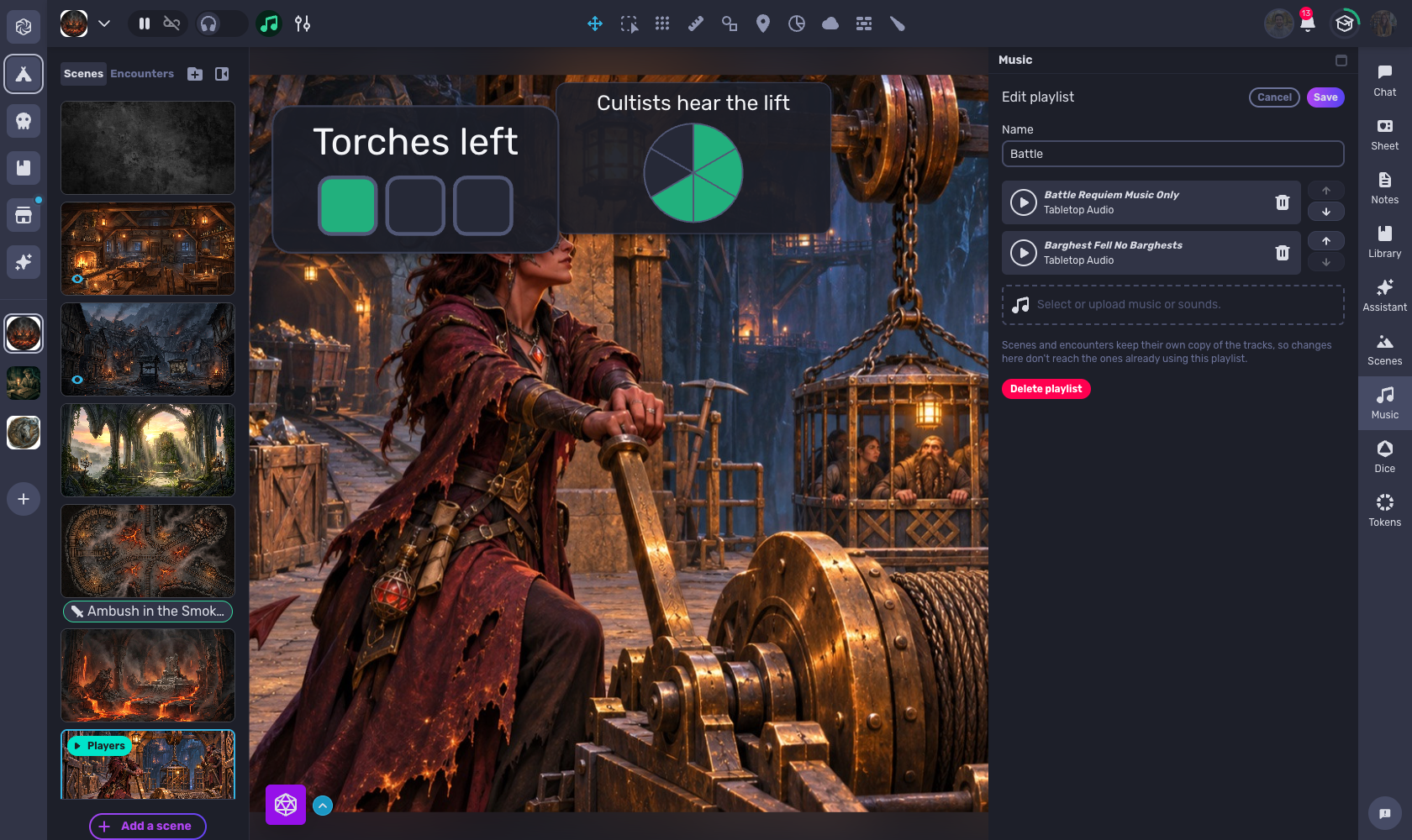
Battle music that starts with the battle. Encounters can have their own playlist. Open an encounter in Notes and pick one of your saved playlists under Music. When you start the encounter, its playlist takes over. When you stop it, the music you had before comes back. Pair it with the Initiative Tracker and the fight scores itself.
A note on the mobile apps: the Music tool is on the web for now. Players in the apps hear the scene's music and follow your track changes, and they will follow encounter playlists and pause in an upcoming version of the apps.
#Bug Fixes and minor additions
Voted for an idea on the roadmap? We can now let you know when it ships, with a note in your inbox and a push notification. You can turn the push off in your notification settings
GMs can open a scene to players with the eye icon in the scene deck, so the table can look at a world map or a clue board whenever they like. More in Scenes
Home no longer shows a session as live after everyone has left it
The Music tool can be undocked into a floating window, so it stays open while you use Notes or the Library
That's it for this week. Go queue up something ominous, and tell us in the suggestions channel on Discord what your table wants next.
More fun at the table, less fuss around it
The tavern falls quiet. You spent all week on this villain: the scarred voice, the secret letter, the slow reveal in the final act. Your players have other plans. They have just set fire to the only bridge out of town, the paladin is deep in an argument with a goat, and the rogue has quietly pocketed the letter that was supposed to unravel everything. Somewhere across the river, your villain stands alone in the rain, waiting for an entrance that will never come. The bard leans back, grinning. Four faces turn to you.
What do
you do?