Jump to section

Gummi
Apr 3, 2024 · 3 min read
Get started in 5 minutes
You can be up and running in no time with Quest Portal. This guide tells you all about creating campaigns and characters and getting the most out of the VTT features.
BUT BEFORE WE START! If you haven't already, sign up for a free account of Quest Portal.
Now we are good to go.
Creating a campaign
A campaign in Quest Portal is how you organize your game or table. In campaigns, you will invite your friends, log into sessions, write out your notes, plan your scenes and more.
From the home screen you can create new campaign.
Full guide to creating a game on Quest Portal
AI Assistant in Notes
Our Notes feature is very powerful. It is a text editor, specifically developed with creating for TTRPGs. We are constantly adding features to it, but already you can use it to start creating fantastical worlds for your game.
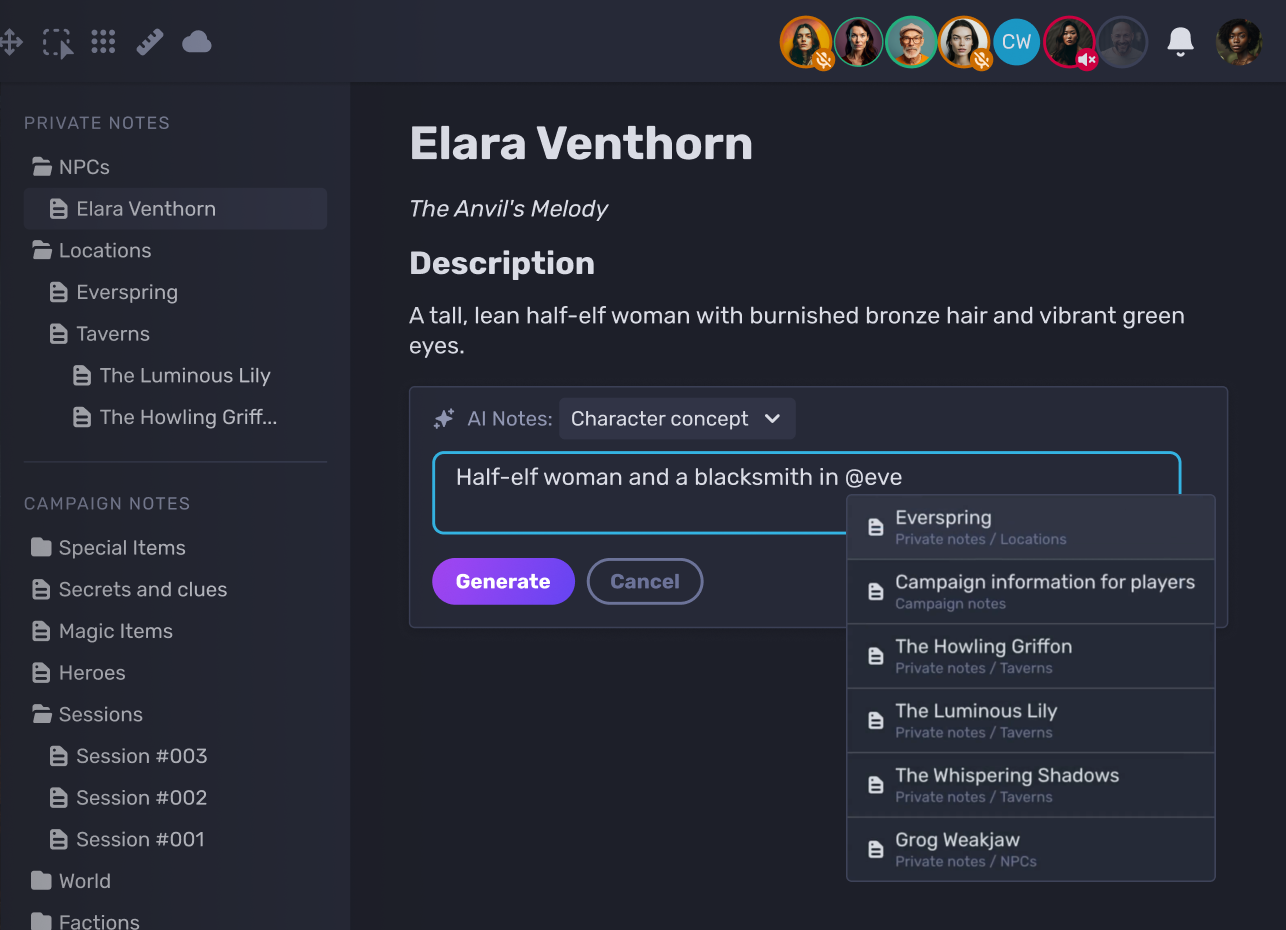
The Assistant is an AI designed to help Game Masters and worldbuilders get unstuck when writing. It is embedded in Notes and offers a variety of themes, such as character concepts, secrets, locations, and more, to help with prompting.
Behind the scenes, the themes have different prompts that will guide the GPT-powered AI towards your creative goal. The final piece is your own prompt, describing what you want to accomplish.
When it creates its answers, the assistant will use the note's current content, the campaign description, the theme prompts, the prompt you use, and the contents of any note you tag.
Campaign chat Assistant
Sometimes, you want to brainstorm new ideas, look up rules or lore, and get the creativity flowing. This is where the chat Assistant comes in handy. You can ask questions about the rules and lore of the game system you are playing. It will look up the sources you have available in your Library and use those sources to answer your questions.
This can be a huge time saver when planning campaign ideas.
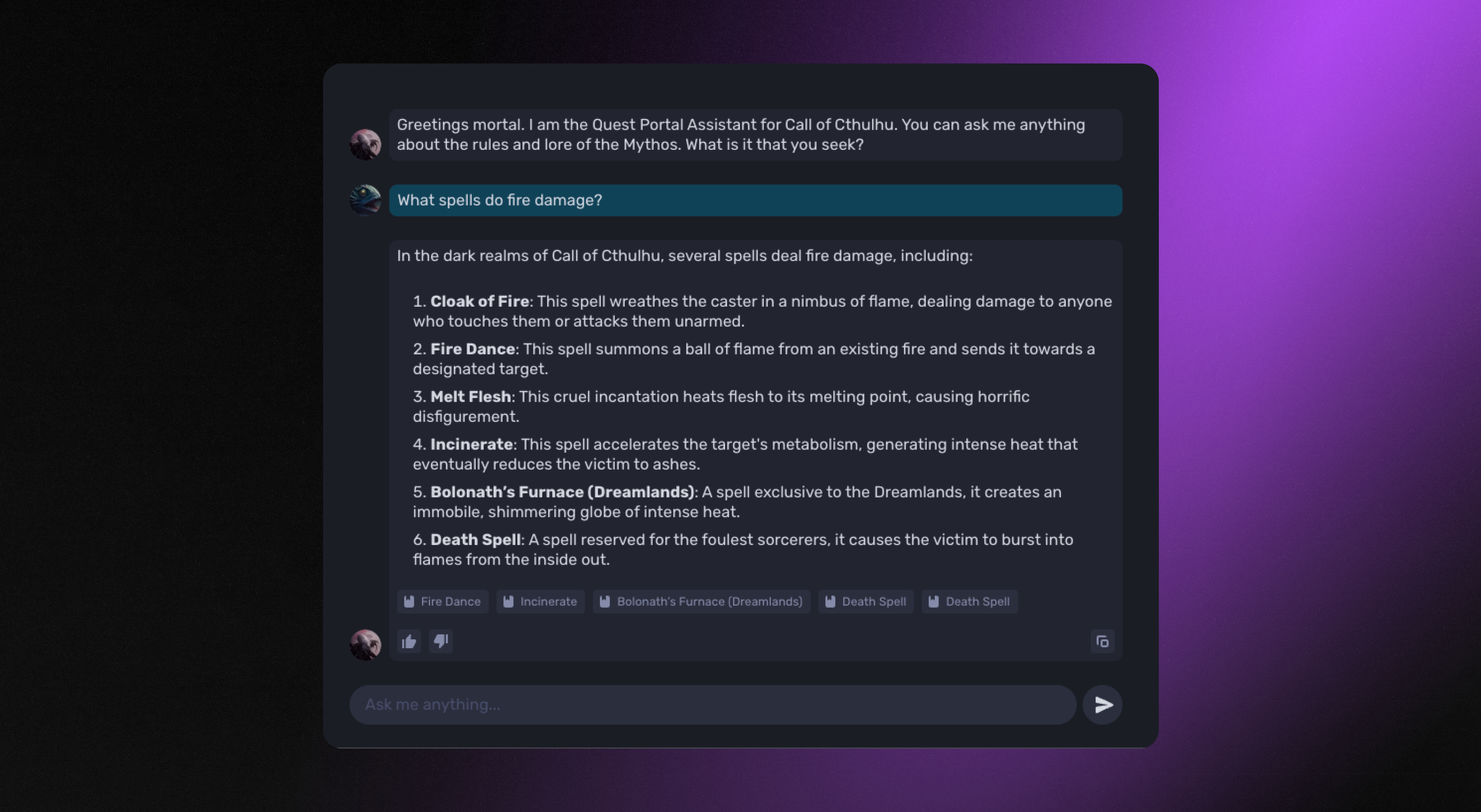
The chat Assistant will cite its sources when available, so you can always double check their quality.
The chat Assistant can be a fantastic resource if you want to explore ideas for your campaign and offers more flexible interface for back-and-forth communications.
Campaigns and Notes
Technically, two features, but they go hand in hand! In Quest Portal, games are organized into Campaigns. For each Campaign you get access to the Notes feature that you can use to start building out your world.
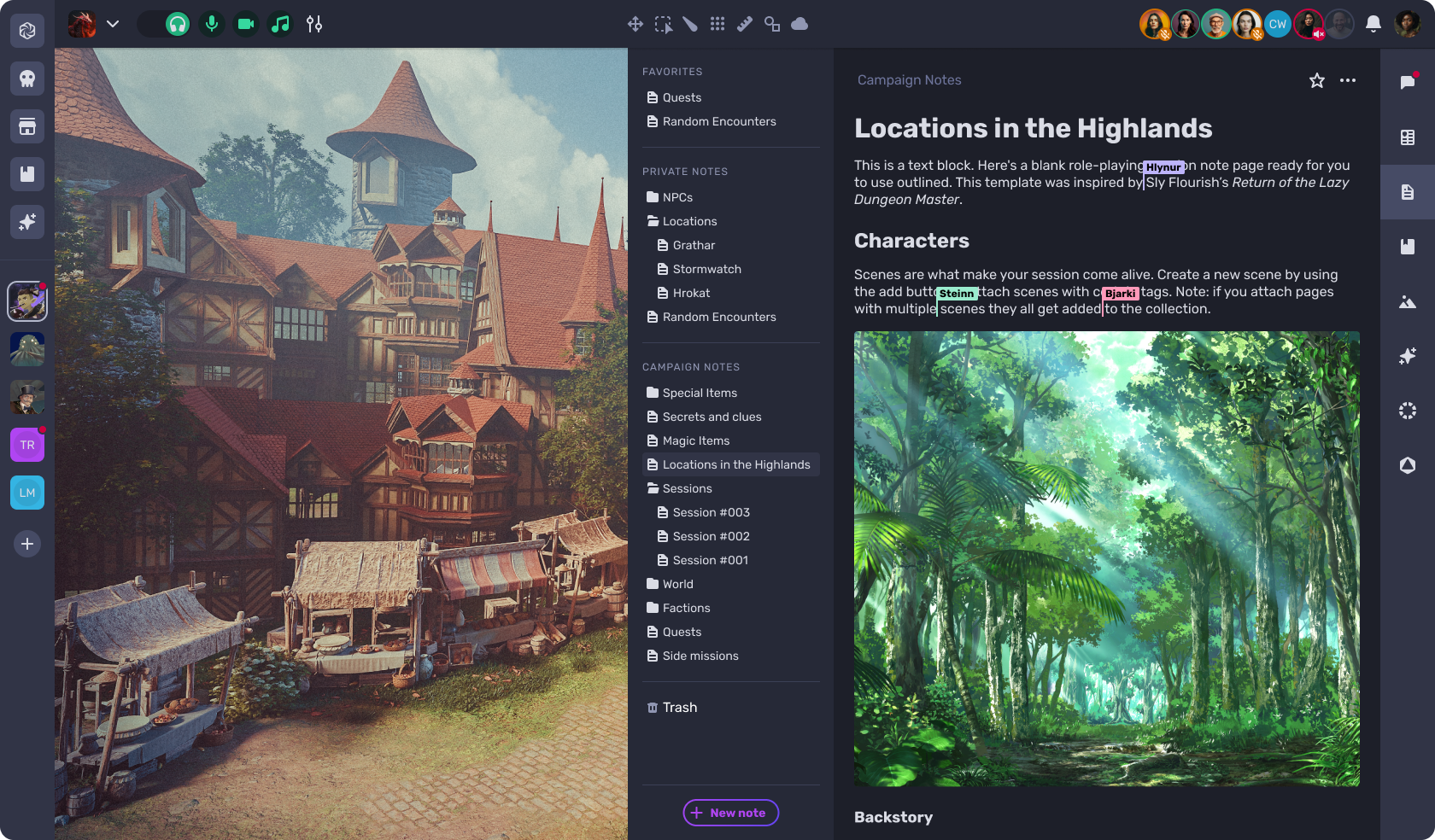
Notes can be organized into folders, private or shared, fully collaborative, and have multiple TTRPG-specific functionalities, such as roll buttons and the AI Assistant.
You can create links between different notes by @ mentioning them, making navigating between them so much easier.
Creating locations with AI Assistant
Here's a quick guide on how to create locations for your world using Notes and the AI Assistant.
Creating NPCs with AI Assistant
Here's a quick guide on how to create NPCs for your world using Notes and the AI Assistant.
More fun at the table, less fuss around it
The tavern falls quiet. You spent all week on this villain: the scarred voice, the secret letter, the slow reveal in the final act. Your players have other plans. They have just set fire to the only bridge out of town, the paladin is deep in an argument with a goat, and the rogue has quietly pocketed the letter that was supposed to unravel everything. Somewhere across the river, your villain stands alone in the rain, waiting for an entrance that will never come. The bard leans back, grinning. Four faces turn to you.
What do
you do?