Prep time? Optional. Quest Portal’s Assistant can spin your off-the-cuff idea into a structured, art-filled, stat-block-loaded one-shot in ten minutes flat.
The Fastest Game Prep You’ve Never Done
Game night’s in an hour. You’ve got snacks and a vague idea involving swamp cults and stolen relics, but that's it.
This is where the Quest Portal Assistant comes in. Found on Quest Portal's Home screen or inside the dedicated Assistant tab, it’s a zero-stress tool that helps you go from blank slate to fully fleshed-out adventure with structured scenes, ready-to-run encounters, Game Master notes, stat blocks, and visuals.
All it needs? A single spark of an idea.
What the Quest Portal Assistant Actually Does
Think of it as a co-GM that builds your session from the ground up, scene by scene, encounter by encounter, based on your input.
Here’s how it works:
1. Describe Your Adventure
Type what’s in your head. If you’re stuck, click the suggestion prompts hovering nearby. Then, pick your system (like D&D 5E or Call of Cthulhu), tone, and art style from dropdown menus.
2. Pick the Vibe and Structure
The Assistant recommends a flavor, like Action, Mystery, or Exploration, and a structural spine, such as the Five-Room Dungeon, Lazy DM Prep, or Mission Ladder. You choose the one that fits, and everything else keys off that decision.
3. Set the Party Level and Difficulty
Low-level grunts or seasoned slayers? Choose your party’s level range and how “epic” the encounters should feel. The Assistant scales pacing, stakes, and mechanics accordingly.
4. Approve (or Remix) the Scene Flow
Get a proposed lineup of locations and characters tied to your premise. Tweak anything: add a twist, swap a faction, or introduce a defector, and the Assistant adapts.
5. Generate Assets
That’s it. In moments you’ll have:
Fully boxed scenes with objective and twist notes
Stat blocks pulled to match your system
Custom art in your selected style
Safety tools, Game Master tips, and hooks for character backstories
Session-planning tips for one or two sessions (because one-shots love to become two)
A Real Example: Harpies, Pazuzu, and Rocs
Let’s show, not tell, with a Dungeons & Dragons (2024) one-shot in our Classic art style.
Here’s the exact prompt we used:
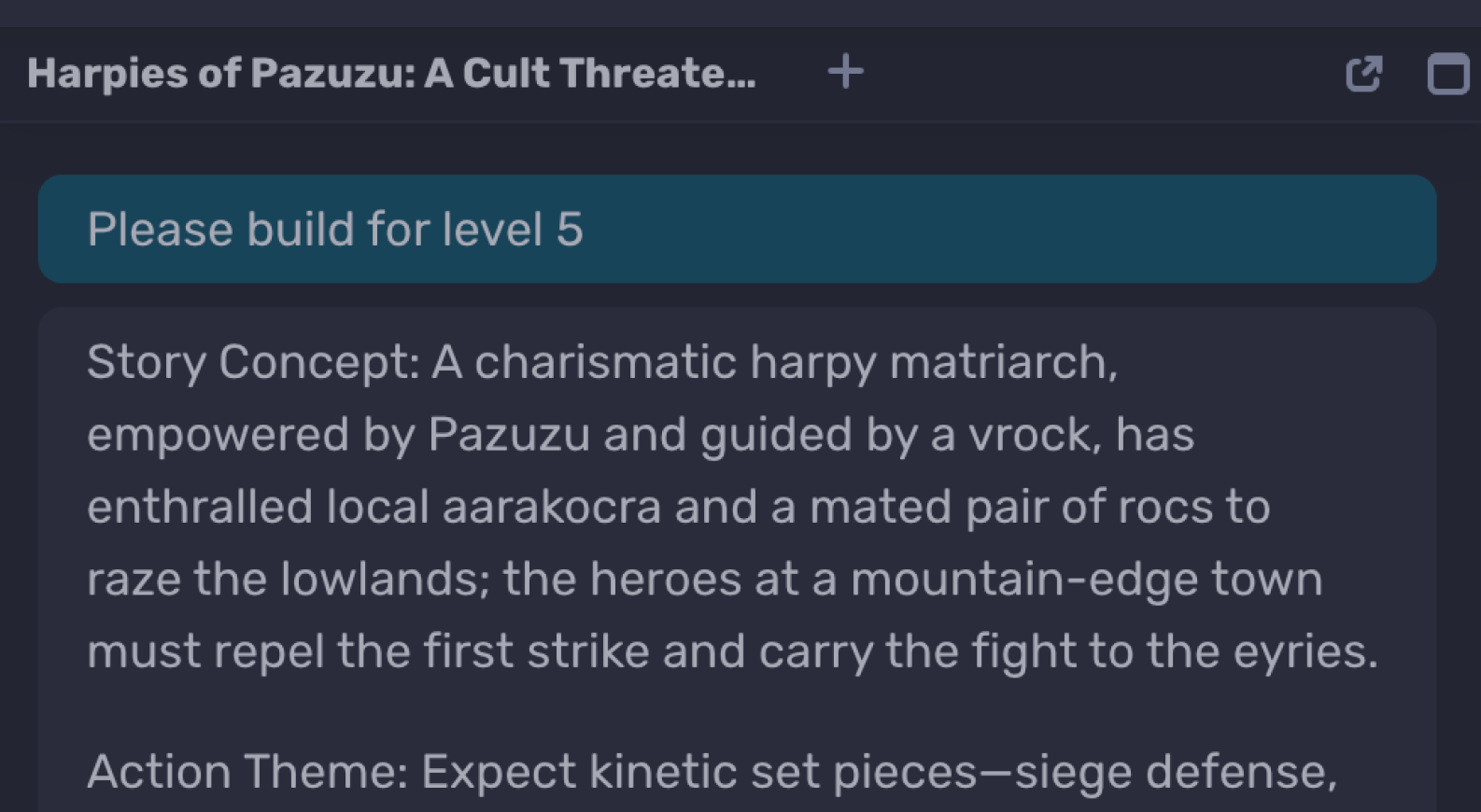
“A tribe of harpies has been turned to the worship of Pazuzu, the demon lord, by a charismatic and powerful harpy cult leader advised by a vrock from the Abyss. The cult leverages abyssal gifts and the harpies’ charming song to subjugate local aarakocra and even a mated pair of majestic rocs. They plan to raze the lowlands. The party encounters this threat near a mountain town and must act.”
Flavor & Structure
Flavor: Action
Structure: Mission Ladder (clean objectives, clear stakes, flexible route)
Level & Difficulty
The Assistant proposed:
Level 5–6: Vrock as the marquee antagonist; rocs as hazards/set pieces
Level 8–10: Party can face demons and rocs head-on
We chose Level 5 to keep the vrock as a dramatic end-boss.
Proposed Scenes
Skyridge (mountain-edge town): Sudden raid by harpies and enthralled aarakocra. Goal: defend civilians, earn trust, learn the cult’s plan.
Windcut Gorge: High-speed canyon chase through shearing winds. Goal: capture a courier or seize Pazuzu-marked fetters that reveal the eyries.
Sunspike Aerie (aarakocra cliffs): Tense standoff at a corrupted song-circle. Goal: break the enchantment without a bloodbath.
Roc Nesting Crag: Storm-scoured ledges, corrupted fetters. Goal: free the rocs or bypass them as dangerous obstacles.
Black Feathers Spire (cult eyrie): Jagged pinnacle, profane altar. Goal: showdown with the matriarch, disrupt the ritual, and drive off the vrock.
Scene order is flexible, side objectives have ripple effects; risk-reward is baked in.
The Assistant even flagged that rescuing the rocs or clearing the Aerie first would weaken the Spire showdown, but at the cost of resources. Nice little risk-reward mini-game.
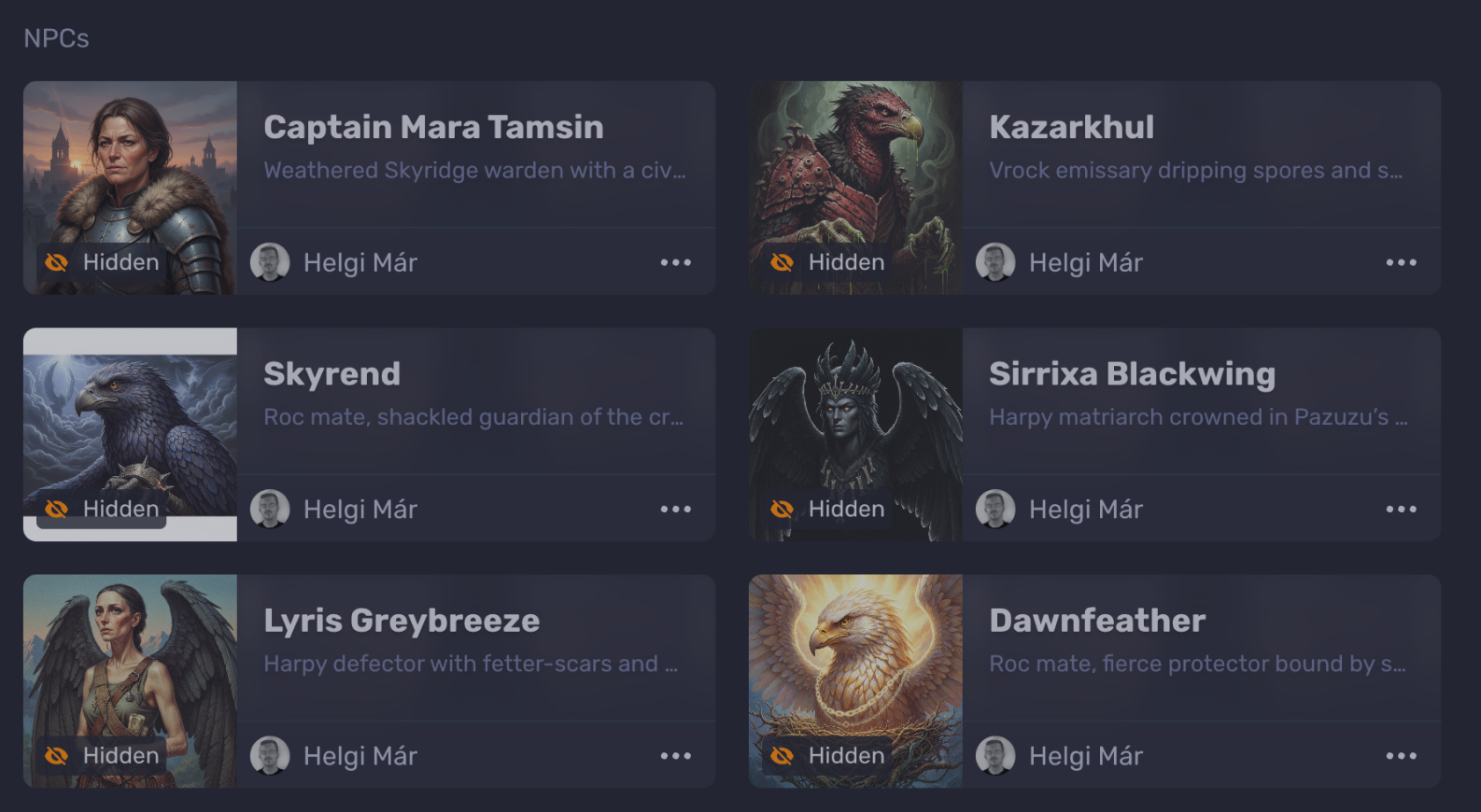
Key Characters (auto-generated, fully editable)
Sirrixa Blackwing (Harpy Matriarch): Charismatic cult leader, Pazuzu’s chosen voice. Motivation: Prove her ascendancy with a “storm of talons” on the lowlands.
Kazarkhul, Vrock Emissary: Abyssal advisor dripping spores and spite. Motivation: Stabilize a rift for Pazuzu—and offer Sirrixa as a sacrifice if she falters.
Zephra Sunplume (Aarakocra Warden): Proud scout-captain ensnared by the song-circle. Motivation: Break the enchantment and protect her flock.
Captain Mara Tamsin (Skyridge Warden): Weathered defender of the town. Motivation: Save civilians and arm the party with intel for the mountain push.
Skyrend & Dawnfeather (Roc mates): Shackled guardians at the crag. Motivation: Defend their nest—then, if freed, drive the cult from the skies.
Lyris Greybreeze (Harpy Defector) — added on the fly: Knows the song-circles and hidden aeries. Motivation: Redeem her flock and help slay the vrock.
What You Get After Clicking “Build”
Scenes & Encounters: Boxed text, objectives, failure states, twists.
Stat Blocks: Pulled for your system and level, ready to run.
Custom Art: Cohesive visuals via Google's Nano Banana in your chosen style (Classic, in this case).
Game Master Notes:
Overview and adventure spine
One-session or two-session plan (because… one-shots)
Considerate play & safety reminders
Hooks that connect character backgrounds to the plot
Experienced Game Masters can run from the generated material immediately; new Game Masters can skim the notes to see how a veteran-informed prep flow comes together.
Why It’s So Fast (and Still So Good)
Plain-language input → rich output
Smart defaults tuned to system, tone, and level
No tab-hopping: Everything’s prepped inside your Quest Portal campaign, from stats to art
Editable on the fly: Tweak characters, reorder scenes, or add custom twists, and then regenerate in seconds
Try It Free (No Card Needed)
The Assistant is included in Quest Portal’s free platform. That means you can build and run your first one-shot today; no credit card, no delay.
Spin up a full adventure in ten minutes. Spend your energy on the moments that matter.
Let the Assistant handle the heavy lifting, so you can focus on epic decisions, role-play arcs, and killer soundtrack timing.
TL;DR
The Quest Portal Assistant turns a prompt into a playable one-shot in minutes
Choose your system, tone, structure, and level
Get boxed scenes, stat blocks, custom art, Game Master notes, and more
FAQ
Q: Does the Assistant only work with D&D?
A: Nope. It supports multiple systems and is expanding regularly. If you don't see what you want, let us know!
Q: Can I change scenes or NPCs after generating?
A: Yes. Everything’s editable. You can add, remove, reorder, or regenerate any part.
Q: Can I use my own art or maps?
A: Absolutely. Upload custom visuals or override the defaults. Quest Portal supports rich media campaigns.
Q: Is this AI-generated?
A: Yes, and tuned specifically for TTRPG adventures. The Assistant is rooted in system logic, modular storytelling, and player-facing tension. You remain the storyteller. It just handles the scaffolding.
Q: Is it really just ten minutes?
A: If you know your vibe, yes. We've clocked full setups in about 9 minutes. The longest part is choosing which structure to run because they’re all so good.
Jump to section

Helgi
Oct 16, 2025 · 6 min read